I've concluded an older post with a promise to investigate the issues of integration of Play Framework with RequireJS and YUI. Finally I've got some time to resolve all issues so I'm going to showcase a working sample multi-page project in this article.
Sample project
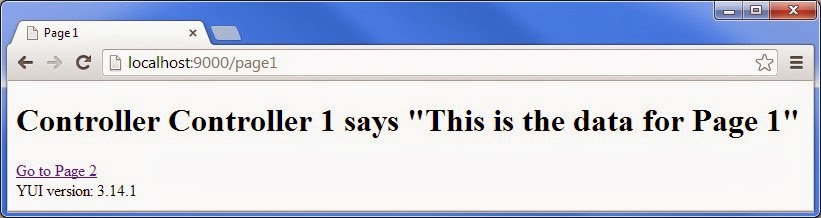
Play Framework offers a nice official tutorial for RequireJS-support. However, it appeared that not all RequireJS features are fully supported by Play Framework yet (see below in Issues section). So it required some tuning before everything started working. I've published a sample project on github so you're welcome to look into it. Some of the issues that I faced are described in the section below. Here I'm going to show a couple of screenshots of the sample application. This is how one page of the application looks like:
Below is the screenshot of the network tab of the Google Chrome developer tools showing all page resources in the production mode. You can see that the following resources are loaded:
- require.js - its script tag is injected by Play Framework;
- main1.js - custom JS resources that are combined, minified and loaded by RequireJS;
- yui-min.js - pre-minified version of YUI that is only loaded by RequireJS without minification;
- combo - YUI dependencies managed by YUI loader.

Issues
In order to save others' time I'm going to list and comment on the RequireJS issues that I faced. They only appeared while running Play in production mode (i.e. play start or play stage).
JavaException: java.io.FileNotFoundException: /appl/sample-application/target/scala-2.10/classes/public/javascripts-min/lib.js (No such file or directory)
In module tree:
    app/main1
Solution: I've removed an additional app directory and have put the main page resources under assets/javascripts/* while the dependent libraries can still be placed in child directories.
Explanation: It's appeared that baseUrl RequireJS config property leads to inconsistent behavior if compared between development and production modes. It looks like it's not properly used by Play Framework in production mode.
Explanation: It's appeared that baseUrl RequireJS config property leads to inconsistent behavior if compared between development and production modes. It looks like it's not properly used by Play Framework in production mode.
JavaException: java.io.FileNotFoundException: /appl/sample-application/target/scala-2.10/classes/public/javascripts-min/YUI.js (No such file or directory)
In module tree:
    main1
      lib/UseYUI
Solution: I've found a solution in baratox's project. I've created build.js file (see the code ) and have added it as a shim config in build.sbt.
Explanation: RequireJS fails to optimize YUI js so it should be prevented.
Explanation: RequireJS fails to optimize YUI js so it should be prevented.
TypeError: YUI is not a function, it is undefined.
In module tree:
    main1
      lib/UseYUI
Solution: I've added load() invocation in UseYUI.js when YUI is undefined.
Explanation: As it worked fine in development mode, it's most likely caused by RequireJS attempt to optimize YUI in production mode that fails. So I believe load() invocation helps to ignore the YUI dependency during the optimization.
Explanation: As it worked fine in development mode, it's most likely caused by RequireJS attempt to optimize YUI in production mode that fails. So I believe load() invocation helps to ignore the YUI dependency during the optimization.
amazing article!!!
ReplyDelete